Legal|Engineering|Construction|Architecture|Individuals|Business
Everything you need to work with PDFs — in one powerful workspace.
Edit PDFs. Develop Thorough Understanding. Fast Track Workflows. Collaborate with Teammates.
Edit, mark up, measure, sign, collaborate, and understand your documents, with AI built into the workspace rather than bolted on beside it.
- Only $1/day to get started
- Opens in 30 seconds, no install
- 24/7 human support
- Your PDFs stay private
- No upload required
- Works offline once open
Security
Your documents stay yours
Straight answers about how PDFDepth handles your files. We only claim what the product actually does.
Your PDF is not uploaded
Documents open locally in your browser, the same way a desktop application opens a file. Nothing is shipped to a server just to view or edit it.
Encrypted in transit and at rest
When you do choose to store or share a document, it is encrypted both in transit and at rest.
No third-party model training
We do not use your documents to train third-party AI models.
You control deletion
Remove a document from your workspace and it is deleted from storage. You decide what is kept.
We do not currently hold SOC 2, ISO 27001, or HIPAA certification, and we will not claim otherwise. If your organisation needs a security review, talk to us.
Engineering content on this site is reviewed for technical accuracy by licensed professional engineers — how we build and review our content.
The workspace
One workspace. Every PDF workflow.
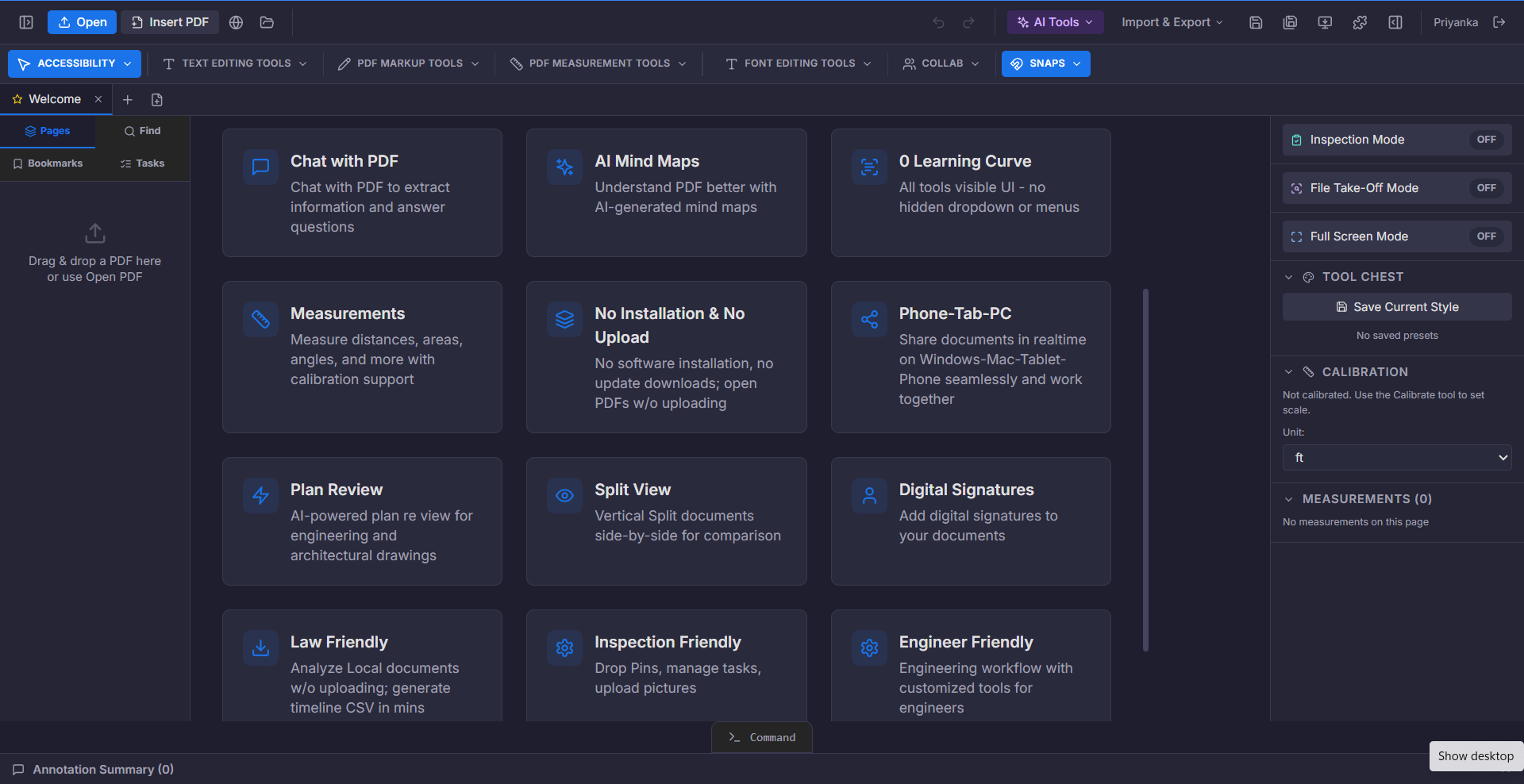
Most people use one app to edit a PDF, another to mark it up, a third to convert it, and a fourth to ask it a question. PDFDepth removes the handoffs. You open the document once, and everything you need is already in the window.
Open a document
Drag in a PDF or open one from your device. Nothing uploads just to view or edit it.
Do the work
Edit, annotate, measure, convert, sign, or ask the document a question — in the same place.
Share the result
Export, publish, or share a link and collect comments from your team.
36+ tools and intelligent workflows, all inside one workspace — not 36 separate websites.
Browse all toolsCapabilities
Built to go deeper than editing
Six capability groups covering the full life of a document — from first draft to final invoice.
Measure
Measure with real-world accuracy
Calibrate a sheet to its scale, then measure distances, areas, angles, and counts. Built for drawings, plans, and technical documents.
- Calibrate scale
- Distances & areas
- Angles
- Counts
- Takeoff quantities
Collaborate
Work with your team
Share a document, collect comments, and keep desktop, tablet, and phone in sync so the office and the field see the same thing.
- Share documents
- Comments & replies
- Real-time sync
- Split view
- Tasks
Transform
Transform into other formats
Move a PDF into the format you actually need — CAD geometry, a shareable website, a spreadsheet, or an image set.
- PDF → CAD (DXF/SVG)
- PDF → website
- PDF → Excel/CSV
- PDF → images
- Export & publish
Sign
Sign and complete
Add a digital signature, request signatures from others, and complete forms end to end.
- Digital signatures
- Request signatures
- Form completion
- Protect & unlock
QC Review
FDOT-style plan-set quality check
Share the plan set by link, stamp page 1, and walk the five-step QC chain — Origination, Checked, Concurrence, Changes Made, Changes Verified — with initials and dates recorded on the sheet.
- Five-step QC stamp
- Per-step color discipline
- Initials & date sign-offs
- Step assignees
- Share-for-review link
Bill
Invoice clients and get paid
Draft invoices and estimates with AI or templates, manage clients, track what is outstanding and overdue, and output a branded PDF without leaving the workspace.
- Invoices & estimates
- AI-drafted invoices
- Client book
- Recurring billing
- Branded PDF output
Customers
Teams that live in documents
“The AI report generation alone saved our team 15+ hours per week. What used to be a Friday afternoon nightmare is now a 30-second click.”
“The AI Plan Review caught a structural issue we missed in three rounds of manual review. That single catch saved a $20,000 change order.”
“Chat with PDF changed everything. I can ask "show me all fire-rated assemblies" and get instant answers. No more scrolling through specs at 11 PM.”
“We evaluated six PDF editors. PDFDepth was the only one with AI takeoff tools. Our material takeoffs went from 4 hours to 15 minutes.”
Free tools
Free PDF tools — no signup, nothing uploaded
Quick jobs that run entirely in your browser. Your file never leaves your device.
FAQ
Questions, answered
PDFDepth is a single workspace for working with PDFs. Instead of stitching together an editor, a converter, a markup tool, a measurement tool, and an AI assistant, you open a document once and every capability is already there.
Your PDFs deserve a better workspace.
Open a document and see the difference in the first minute. No install, no onboarding call — just $1 a day to start.


