PDFDepth
Online PDF editor
Edit PDF text and images directly in the browser, reorder pages, merge and split files, and export without losing formatting. No install required.
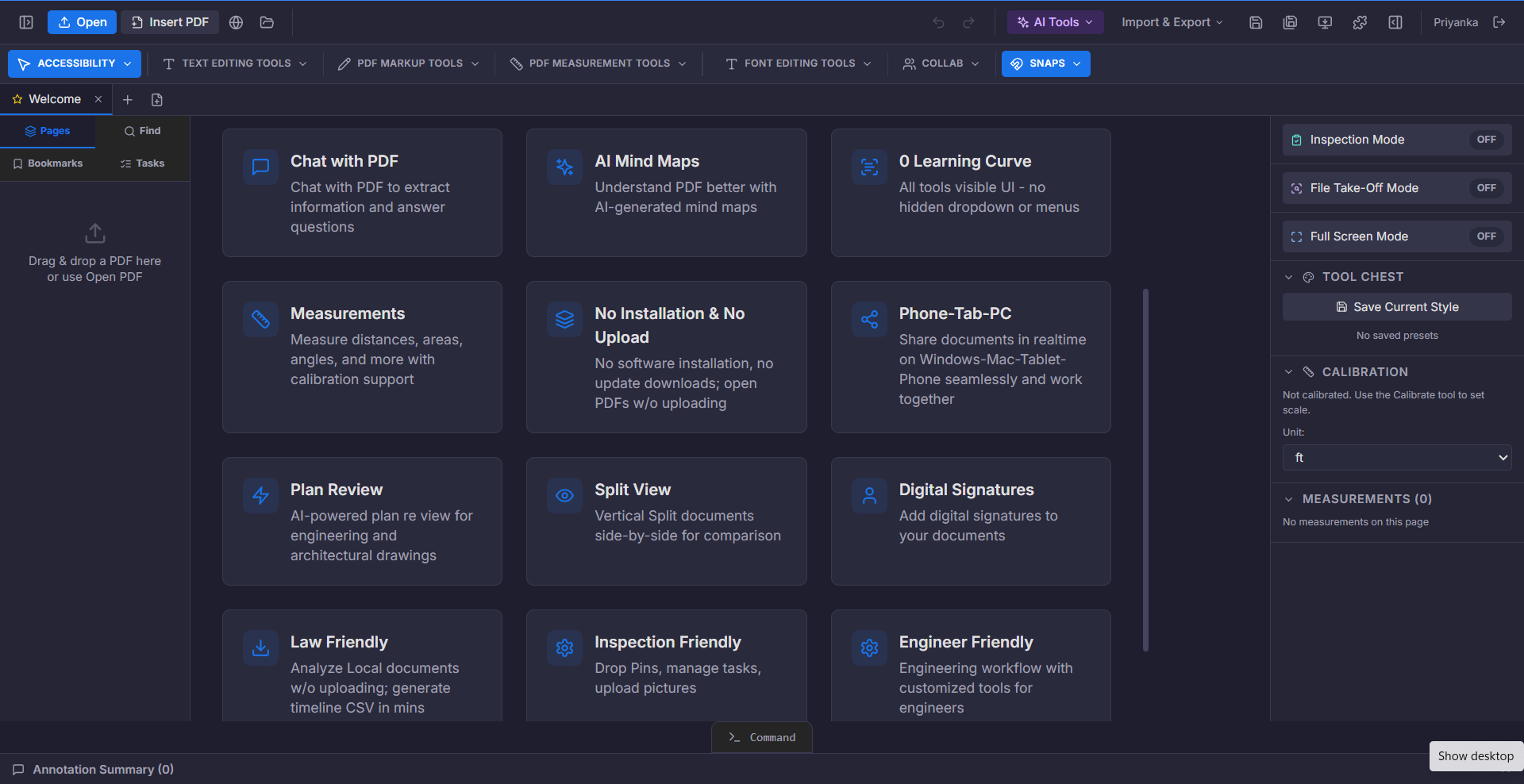
Most PDF problems start with a small change: a wrong date, an outdated logo, a page in the wrong order. Traditionally that means going back to the source file, rebuilding the document, and re-exporting it — assuming you still have the source file at all.
A browser-based PDF editor removes that round trip. You open the PDF you already have, change what needs changing, and export. Fonts, spacing, and layout stay intact because you are editing the document rather than recreating it.
What you can do
Edit text in place
Change wording directly on the page. The editor matches the surrounding font and spacing.
Add and replace images
Drop in logos, photos, or diagrams and position them precisely.
Reorganise pages
Reorder, rotate, duplicate, delete, or extract pages with drag and drop.
Merge and split
Combine several PDFs into one, or split a long document into separate files.
Compress
Reduce file size for email and upload limits, with control over quality.
Page numbering
Apply page numbers or Bates numbering with your chosen prefix and format.
Who it is for
- Anyone who needs to fix a typo without the original file
- Administrators preparing documents for distribution
- Legal teams applying Bates numbering to exhibits
- Teams assembling bid packages or report bundles
How it works
- 1Open your PDFDrag the file in. It renders locally, so nothing uploads just to open it.
- 2Make your editsChange text, swap images, reorder pages, and mark up as needed.
- 3Export or shareDownload the result or share a link for review.
Related capabilities
Try it on your own document
$1/day for up to 14 days. Then $375 a year for the whole workspace.
Start for $1/day