Inside the Workspace · Updated October 6, 2026
What is Canvas Mode in PDFDepth?
Short answer
Canvas Mode is a right-panel design studio for PDF pages. Create a blank page at a preset size or append one to the open document, place text, images, shapes, tables, charts, QR codes, and Smart Form fields, then style, align, distribute, group, and layer them — backed by a template library, a saved brand kit, optional Gemini AI design, and one-click resize to print or social formats.
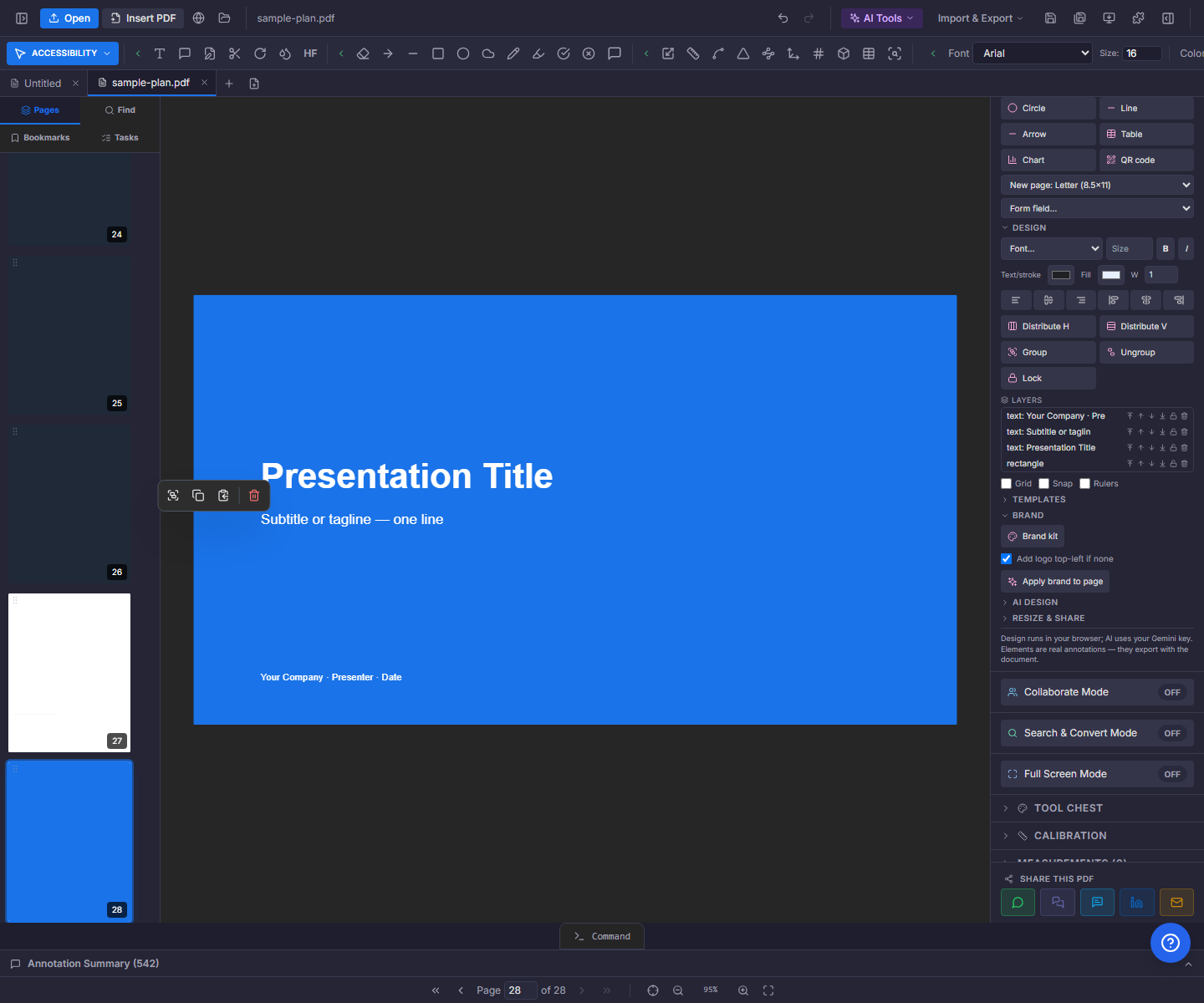
Create — pages and elements
New Canvas offers eight preset sizes — Letter, A4, Legal, 11×17 tabloid, 16:9 presentation, business card, and square or story social sizes. With no document open it starts a fresh canvas file in a new tab; with a document open it appends a page (using your brand background if you set one).
Elements drop in from a grid: text, an image from file, rectangle, circle, line, arrow — plus dialog-driven elements: a table builder, a chart, a QR code, and a Smart Forms field picker for fillable text fields, checkboxes, signatures, and more.
Design — type, layout, and layers
Select elements and style them: font family, size, bold and italic, text/stroke color, fill, and stroke width. Align any selection to an edge (a single element aligns to the page), distribute three or more with even gaps, group and ungroup, and lock elements against accidental moves. A layers list shows everything on the page with bring-forward/send-back, lock, and delete, and grid, snap, and rulers keep placement honest.
Templates — 170+ starting points
The template library ships more than 170 built-in layouts across business, marketing, social, events, forms, construction, real estate, and two dozen other categories — resume, invoice, proposal, contract, estimate, construction documents, letterhead, flyers, signage, and more. Template placeholders pull from your brand kit automatically, so "Apply" lands your logo, colors, and name in one pass.
Two ways to grow the library: "Save current page as template" freezes the open page — background and elements — for reuse, and "Create from PDF" converts the page’s text into editable elements (over a kept-background image or a blank page). A GIFs category holds eight animated templates that open in GIF Studio — edit headline, subtext, colors, size, frame rate, and duration with a live preview, then download the .gif.
Brand kit and AI design
The brand kit stores a company name, logo, five colors, and heading/body fonts — saved in your browser, not the cloud. "Apply brand to page" restyles the page in one pass: headings take the heading font and primary color, body text the body font, shapes the primary/secondary pair, and your logo lands top-left if the page lacks one.
AI Design runs on your own Gemini key and always proposes before it changes: create a page from a description, redesign the current page, rewrite selected text, or translate elements — or append a translated copy of the page. Each request returns a plan of operations with per-item checkboxes, and nothing applies until you press "Apply suggested changes".
Resize & share — one page, every format
Magic Resize & Share reflows the document into preset formats: Letter to A4 and back, portrait to landscape, three Letter pages to a tri-fold brochure sheet with fold guides, a document to a 16:9 presentation, and an AI-built one-page executive summary of a proposal. Social export renders the current page (or every page) at Instagram, Facebook, WhatsApp, and LinkedIn sizes — four, four, three, and four sizes respectively — as PNG downloads (zipped when there is more than one) or a sized PDF. A GIF tab turns any page range into an animated GIF. Everything opens in a new tab or downloads; your source document is never modified.
Everything in this article runs in the live PDFDepth workspace — the same app the workflows above were verified against.
Key takeaways
- Canvas Mode designs PDF pages with text, images, shapes, tables, charts, QR codes, and form fields — all real annotations that export with the document.
- The library ships 170+ templates plus your own saved pages; brand placeholders resolve to your kit on apply.
- The brand kit (logo, five colors, heading/body fonts) is saved locally and restyles a page in one click.
- AI design and resize outputs always preview first or open in a new tab — the original document stays untouched.
Related questions
No. Every AI action returns a plan — a list of operations with checkboxes — and only the ones you approve are applied.
Do it in PDFDepth
In the app: Right panel → Canvas Mode
Try it free — no signup, no upload
Related articles
Put it into practice
Everything above runs inside the PDFDepth workspace — free for 14 days, no credit card.
Start for Free