Construction & Engineering · Updated October 6, 2026
What is a construction PDF editor?
Reviewed for technical accuracy by licensed professional engineers.
Short answer
A construction PDF editor is a PDF tool built around drawing-set workflows: calibrated measurement and takeoff, markups that snap to linework, AI plan review with cited findings, comments and assignments on the sheets, forms and signatures on the documents, and tracked smart links for sharing — all in the browser, on any device.
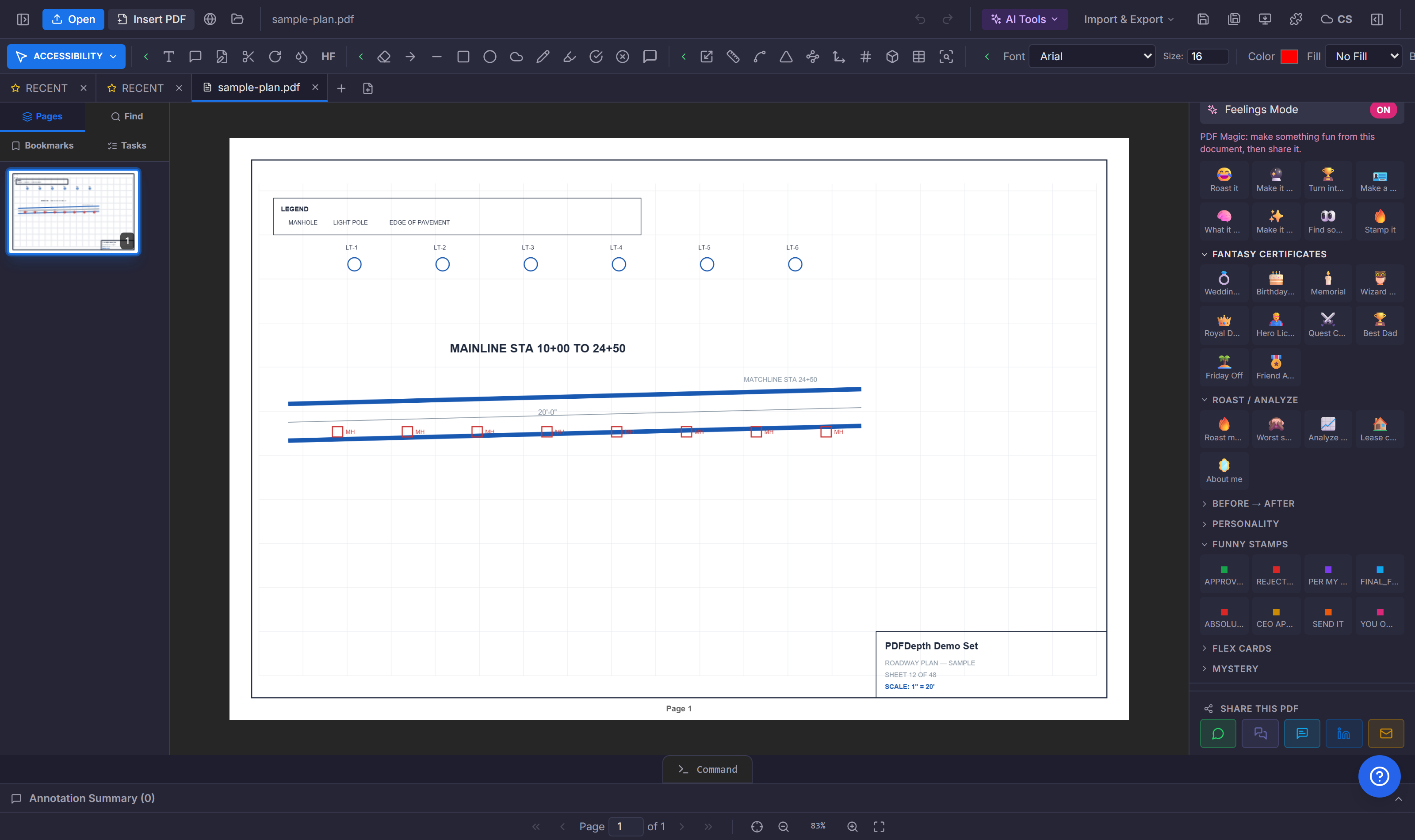
Markup that understands drawings
A general PDF editor can put a sticky note on a plan. A construction editor puts a markup where the work is: text and leaders that snap to a wall, clouds around a revision, highlights on a spec note, and a smart-trace overlay that recolors linework to show existing versus new. Stamps — reviewed, approved, rejected, as-built — carry the QC state on the sheet itself.
Measure and take off, not just annotate
The markup is only half the job. A construction editor also measures: calibrated distance, area, perimeter, count, and volume, with AI-assisted symbol counting for repeated fixtures. Measurements land in a per-page list and export to Excel — the same tool that marks up the drawing also produces the quantities for the estimate.
Review, sign, and share
Review means an AI plan review that cites the sheet and callout for every finding, a QC stamp chain that records who checked and approved, and comments pinned to the sheet with assignees. Signatures are certificate-backed digital signatures and Smart Forms — text, checkbox, dropdown, date, signature, initials — placed by clicking on the page. Share the result as a tracked smart link: password, expiry, email gate, per-viewer analytics.
One workspace, not five tools
The general pattern in construction software is a viewer, a markup tool, a takeoff tool, a plan-review tool, and a signing tool — five apps, five licenses, five exports. A construction PDF editor collapses them into one workspace: the same file, the same page, the same markups, from the first review comment to the signed closeout document.
References
Everything in this article runs in the live PDFDepth workspace — the same app the workflows above were verified against.
Key takeaways
- Construction markup snaps to linework — leaders, clouds, stamps, smart-trace overlay.
- Calibrated measurement and AI takeoff produce quantities in the same window as the markup.
- Plan review, QC stamps, and comments keep the review record on the sheets.
- Smart Forms and certificate signatures finish the document; smart links share it tracked.
Related questions
No — a general editor handles text and annotation on any PDF. A construction editor adds calibrated measurement, takeoff, plan review, drawing comparison, and stamp workflows built for plan sets.
Do it in PDFDepth
In the app: Left panel → Tools; Right panel → Collaborate Mode
Try it free — no signup, no upload
Related articles
Put it into practice
Everything above runs inside the PDFDepth workspace — free for 14 days, no credit card.
Start for Free