Inside the Workspace · Updated September 26, 2026
What is Invoicing Mode in PDFDepth?
Short answer
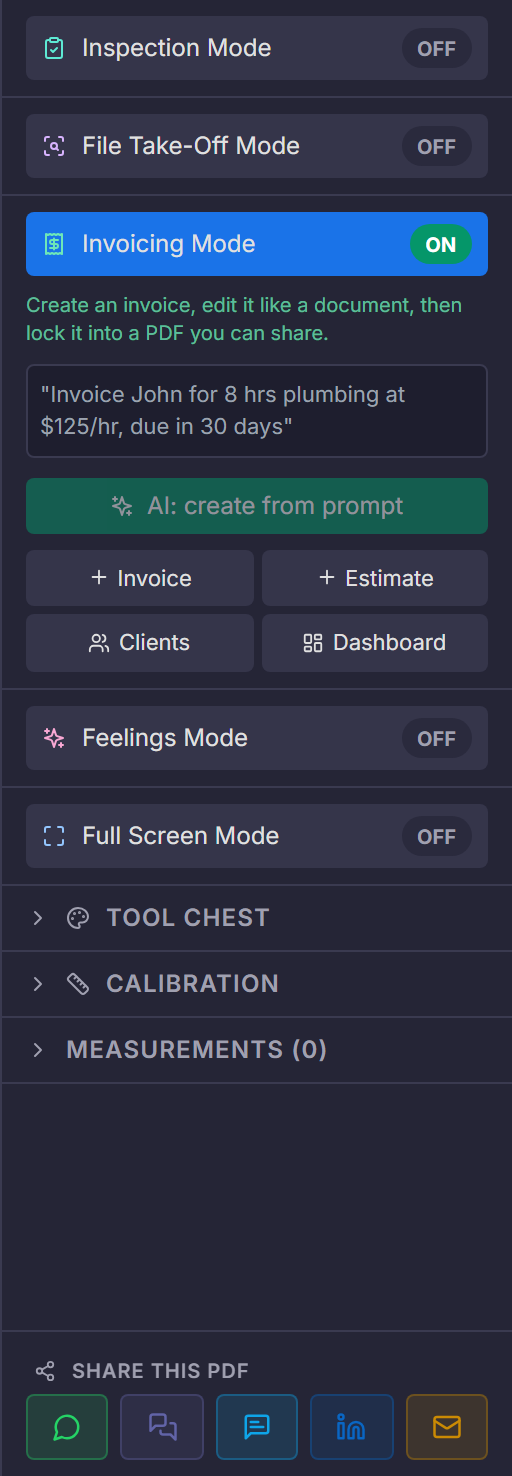
Invoicing Mode is a full billing workspace inside the right panel: describe the invoice in one sentence and AI drafts it, or build it from line items with a template. It tracks statuses, outstanding and overdue balances per client, makes invoices recurring, and locks the final invoice into a shareable PDF.
Create an invoice by describing it
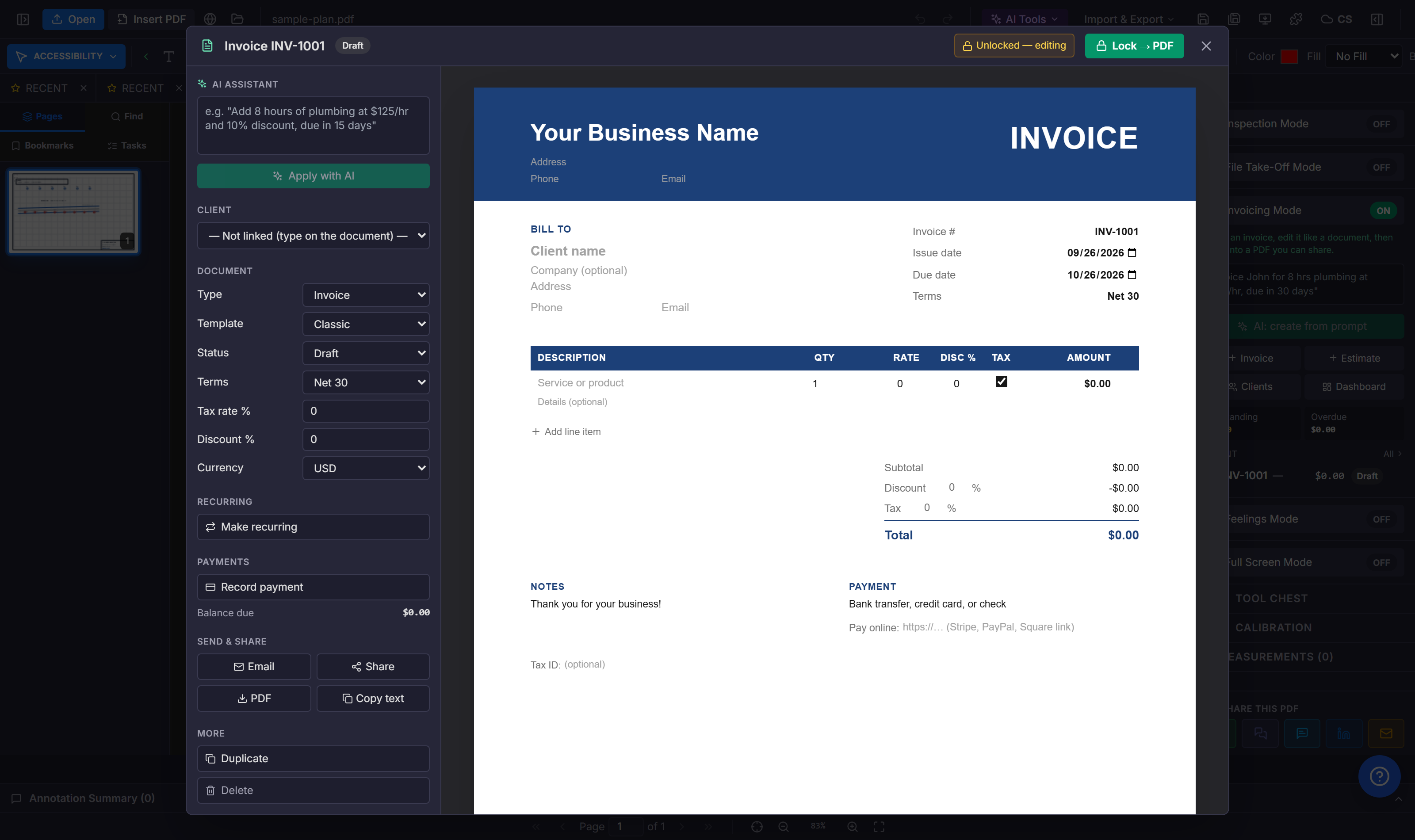
Type something like "Invoice John for 8 hrs plumbing at $125/hr, due in 30 days" and AI drafts the invoice — client, line items, quantities, rates, and terms — which you then edit in a form-based editor. Or start blank with the Invoice or Estimate buttons and fill it in directly.
The document becomes a record
- Status flow: draft → sent → viewed → paid (or partially paid, overdue, void).
- Estimates convert to invoices once accepted — no re-entry.
- Recurring invoices repeat on a schedule for retainer-style work.
- Payments are recorded against the invoice, and the dashboard totals outstanding and overdue balances.
- The client book holds names, emails, billing addresses, and notes like PO numbers and preferred terms.
Lock it into a PDF
Invoices are edited like structured data, then 'Lock to PDF' renders them onto the canvas as a branded document — Classic, Modern, or Minimal template — ready to email or share like any other file in the workspace. Opening that PDF later recognises it as a locked invoice you can unlock and keep editing.
Key takeaways
- Draft an invoice in one sentence — AI fills the structured fields.
- Estimates, invoices, recurring billing, payments, and clients in one place.
- Lock to PDF produces the branded document you actually send.
Related questions
No — invoices live in the right panel of the same workspace where you review the drawing or contract the invoice is about.
Do it in PDFDepth
In the app: Right panel → Invoicing Mode
Related articles
Put it into practice
Everything above runs inside the PDFDepth workspace — free for 14 days, no credit card.
Start for Free