Construction & Engineering · Updated October 6, 2026
What is a construction plan viewer?
Reviewed for technical accuracy by licensed professional engineers.
Short answer
A construction plan viewer opens a digital drawing set — often hundreds of sheets — so you can navigate, read, and review it without installing desktop software. PDFDepth renders plan sets in high fidelity in the browser: continuous scroll or page-by-page, tabs and split view for comparing sheets, a thumbnail sidebar for jumping, full-screen mode for the trailer TV, and per-sheet project organization.
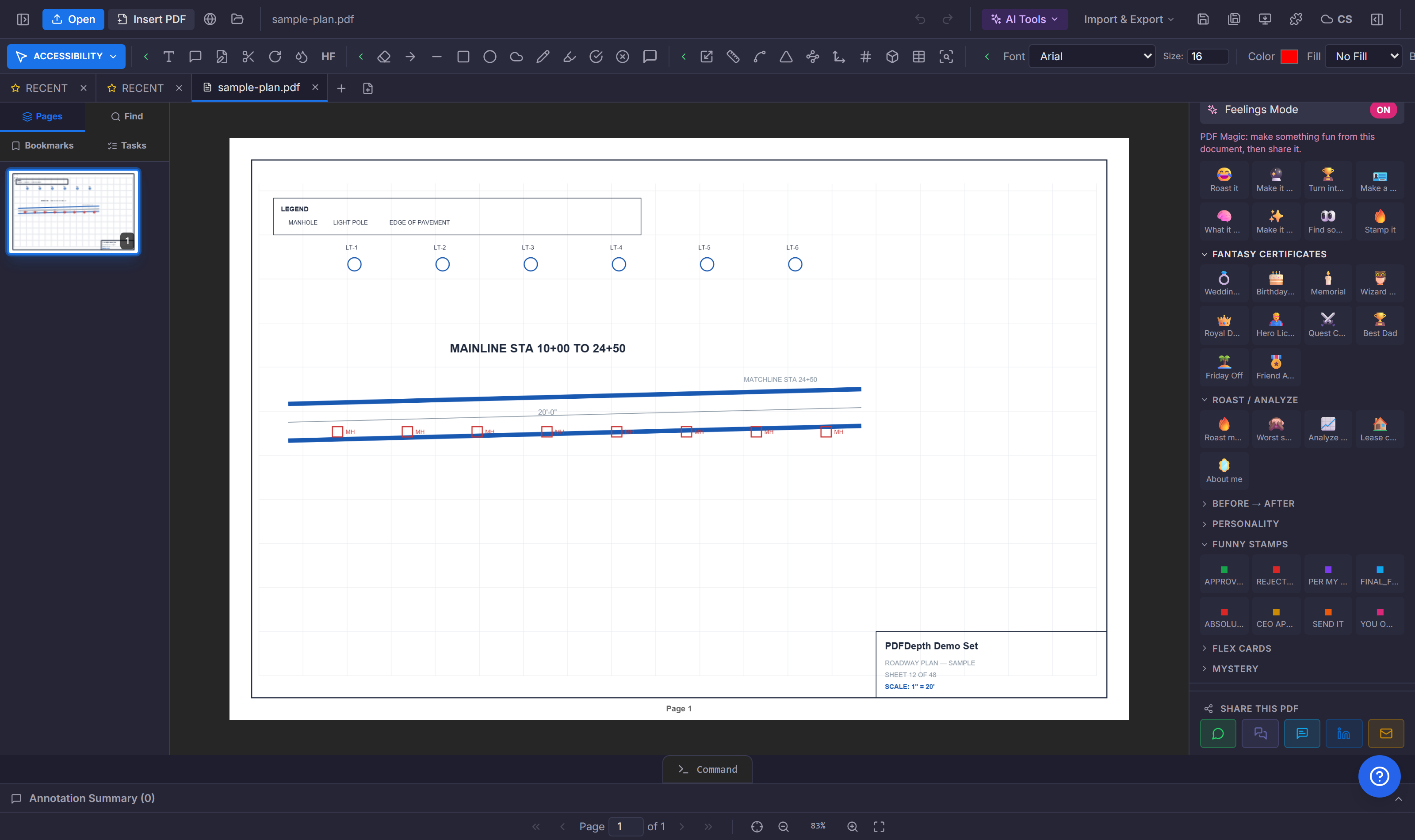
Opening the set
Digital construction drawings arrive as one PDF per sheet, a combined set, or a folder. PDFDepth groups them into a project: the sheet index is the navigation, per-sheet links jump to a specific drawing, and the viewer keeps the whole set one click away. No install, no license check, no "your session has expired" in the field.
Navigating a big set
The viewer is built for sheets, not for book pages. Continuous scroll reads the set top to bottom; page-by-page snaps to one sheet at a time. Tabs keep several sheets open at once; split view puts the floor plan next to the detail it references. The thumbnail sidebar previews every sheet; the page navigator jumps to a number. Full-screen mode turns a monitor or a trailer TV into a plan table.
Reading a drawing on screen
A plan viewer has to render linework cleanly at any zoom — hairlines, hatches, text at 3pt — without breaking up. High-fidelity rendering keeps the sheet readable zoomed to a detail or zoomed out to the full set. For scanned sheets, OCR makes the callouts and dimensions searchable, so "find A-501" is a search, not a scroll.
From viewer to workspace
The difference between a viewer and a workspace is what happens when you find something. In a viewer you note it on paper. In PDFDepth the same window marks it up, measures it, pins a comment, runs a plan review, and shares the sheet — the viewer is the front door to the whole toolset, not a separate read-only app.
References
Everything in this article runs in the live PDFDepth workspace — the same app the workflows above were verified against.
Key takeaways
- Projects organize a whole plan set — sheet index, per-sheet links, folder-wide tools.
- Continuous scroll, tabs, split view, thumbnails, and full-screen handle sheets of any size.
- OCR makes scanned sheets searchable — "find A-501" instead of scrolling.
- The same window that views the set also marks it up, measures it, and reviews it.
Related questions
Yes — PDFDepth opens and navigates plan sets in the browser with no install; the free trial includes the full viewer and toolset.
Do it in PDFDepth
In the app: Open a PDF → the viewer is the workspace
Try it free — no signup, no upload
Related articles
Put it into practice
Everything above runs inside the PDFDepth workspace — free for 14 days, no credit card.
Start for Free